Data Types and Structures
VTK is built to carry real-world 2D/3D data all the way from “numbers in memory” to “something you can see and reason about.” That means it needs data types that store values, but also store where those values live in space and how they connect. Choosing the right structure early simplifies filtering, rendering, and performance tuning. A poor fit can require extra conversions, lose information, or increase memory use.
VTK represents points, lines, polygons, volumes, images, and structured or unstructured grids. Datasets can carry scalar, vector, and tensor attributes; VTK also supports temporal and hierarchical data.
The mental model to keep in your pocket is simple: data in VTK is more than values. It’s values + geometry + topology + metadata. That combination is what lets VTK do “smart visualization” instead of just drawing triangles.
Topology vs. Geometry
Topology: how elements connect
Topology describes the connectivity and structure of the mesh:
- Which points form a cell
- Which cells are neighbors
- How cells are arranged logically
- Whether indexing is regular or arbitrary
Topology answers questions like:
- “Which points make up this cell?”
- “What cell is next to this one?”
- “Is there a predictable i-j-k layout?”
📌 Topology does not care about distances, angles, or shape.
Geometry: where elements are in space
Geometry describes the actual spatial position of points:
- Coordinates of each point
- Cell shape, size, and orientation
- Curvature, skew, and deformation
Geometry answers questions like:
- “Where is this point in 3D space?”
- “Is this cell stretched, bent, or rotated?”
- “Does this mesh follow a curved boundary?”
📌 Geometry does not care about connectivity rules, only positions.
Topology is about “who is connected to whom.” Geometry is about “where they are.”
You can:
- Change geometry without changing topology (warp a structured grid)
- Change topology without changing geometry (re-mesh the same shape)
VTK grid types encode which of these freedoms you’re allowed to change.
Imagine a cube:
Same topology:
- 8 points
- 6 faces
- 1 cell
Different geometry:
- Perfect cube
- Stretched box
- Skewed hexahedron
- Curved boundary-following cell
All are topologically identical, but geometrically different.
vtkDataObject
Before you meet the “fancy” datasets, it helps to understand the trunk of the tree. vtkDataObject is VTK’s universal container: it’s the “everything starts here” base class. You care because once you know what every data object guarantees, you can navigate the VTK ecosystem without feeling like you’re memorizing random class names.
Do treat vtkDataObject as the shared contract. When you’re writing general pipelines or utilities, thinking at this level keeps your code flexible.
Don’t assume every vtkDataObject is directly renderable or has points/cells, some are composite containers, some are specialized.
I. Base class for all data objects in VTK
II. Stores data and metadata including
- Geometric Information encompasses shape, position, and size of the data elements. Essential for defining the spatial representation of the data.
- Topological Information concerns the connectivity of data elements. It reveals the relationships between elements, like how points are linked to form lines or polygons in a mesh.
III. Common subclasses include
- vtkImageData: Handles regular, rectilinear grid data.
- vtkRectilinearGrid: Manages grid data with varying spacing.
- vtkStructuredGrid: Deals with structured data points in 3D space.
- vtkPolyData: Specializes in representing polygonal data.
- vtkUnstructuredGrid: Ideal for representing complex, irregular grid data.
When people say “VTK dataset,” they’re often talking about nodes lower in this hierarchy, especially vtkDataSet and anything that has points + cells. The diagram below is useful because it tells you what you can safely expect. If you’re holding a vtkPointSet, for example, you know it has points. If you’re holding a vtkCompositeDataSet, you know you’re dealing with multiple datasets grouped together.
|
|--- vtkDataObject
     |
     |--- vtkDataSet
          |
          |--- vtkPointSet
          |    |
          |    |--- vtkPolyData
          |    |
          |    |--- vtkStructuredPoints (vtkImageData)
          |    |
          |    |--- vtkStructuredGrid
          |    |
          |    |--- vtkUnstructuredGrid
          |
          |--- vtkRectilinearGrid
          |
          |--- vtkCompositeDataSet
               |
               |--- vtkHierarchicalBoxDataSet
               |
               |--- vtkMultiBlockDataSet
               |
               |--- vtkHierarchicalDataSet
               |
               |--- vtkOverlappingAMR
               |
               |--- vtkNonOverlappingAMR
vtkImageData
vtkImageData is the “pixel/voxel brain” of VTK. It’s what you reach for when your data lives on a uniform grid, like images (2D) or volumes (3D). You care because this structure is fast and compact: connectivity is implicit, and a lot of VTK’s imaging and volume rendering pipeline is built around it.
Do use vtkImageData for CT/MRI, 3D textures, scalar fields sampled uniformly, and anything that feels like “voxels.”
Don’t force irregular spacing into it. The moment spacing isn’t uniform, you’ll either distort the meaning of your data or end up wishing you chose a rectilinear or unstructured grid.
- Represents a regular grid with fixed topology and uniform spacing between points.
- Ideal for volumetric data like images or 3D scalar fields.
- CT and MRI scans, where vtkImageData stores pixel values at each grid point for 3D visualization.

Allowed cells
- Voxel (3D)
- Pixel (2D)
- Line (1D)
Notes
- Uniform spacing only
- Axis-aligned
- Implicit topology and geometry
vtkRectilinearGrid
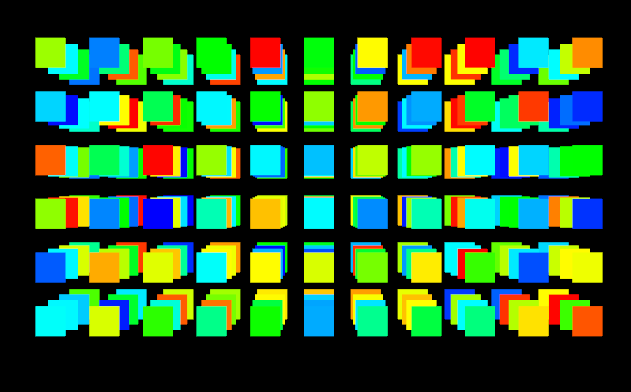
Think of vtkRectilinearGrid as “structured, but with stretchy spacing.” Topology is still a neat grid, but the points along each axis can be unevenly spaced. This matters when your data’s resolution changes by design, common in scientific models where you want more detail in certain regions without paying the cost everywhere else.
Do use this when you still want the simplicity of a structured grid, but your sampling is non-uniform. Don’t confuse this with curvilinear grids, rectilinear still means axes-aligned lines; spacing changes, not direction.
- A regular grid with fixed topology but non-uniform spacing between points.
- Suitable for data with varying resolution, like in climate or terrain elevation data.
- Climate models with varying altitude resolution, or terrain data with resolution changing with slope.
Allowed cells
- Voxel (3D)
- Pixel (2D)
- Line (1D)
Notes
- Same cell types as
vtkImageData - Non-uniform spacing allowed
- Cells are always axis-aligned
- No skewing, no warping
📌 Important:
Rectilinear grids do not introduce new cell shapes, only variable spacing.
vtkPolyData
If vtkImageData is “voxels,” vtkPolyData is “surfaces.” This is the workhorse for meshes you’d actually model or export: triangle surfaces, polygon soups, lines, contours, and anything you’d describe as geometry you can touch. You care because most interactive 3D models and many visualization outputs end up as vtkPolyData.
Do use vtkPolyData for surfaces, contour results, boundaries, and models that are primarily skins/shells.
Don’t store volumetric cells here, vtkPolyData isn’t meant for full 3D cell types like tetrahedra or hexahedra.
- Represents a dataset comprising points, vertices, lines, polygons, and triangle strips.
- Ideal for surface meshes and 3D models.
- Models of 3D objects (e.g., vehicles, buildings), terrain surfaces (mountains, valleys).
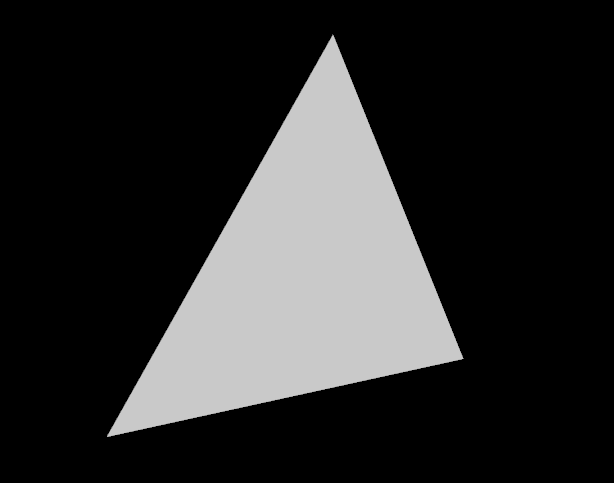
Cells Allowed in vtkPolyData
0D Cells (Points)
- Vertex
- PolyVertex (multiple disconnected points)
1D Cells (Lines)
- Line
- PolyLine (connected line segments)
2D Cells (Surfaces)
- Triangle
- Quadrilateral
- Polygon (n-gon)
- TriangleStrip
vtkPolyData cannot contain:
- Tetrahedra
- Hexahedra
- Voxels
- Wedges
- Pyramids
- Polyhedra
- Any volumetric (3D) cells
📌 If a cell encloses volume, it does not belong in vtkPolyData.|
vtkPolyData is optimized for:
- Rendering speed
- Surface-based algorithms
- Graphics pipelines
It assumes:
- No interior volume
- No need for volumetric neighbors
- No 3D cell traversal
That’s why it’s much faster and lighter than volumetric grids, but also more limited.
vtkStructuredGrid
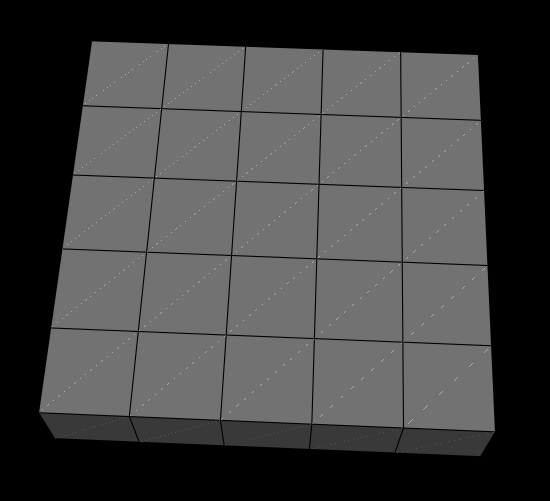
A vtkStructuredGrid is where structure meets flexibility. The grid topology is still orderly (i,j,k indexing), but the points can warp through space, making it perfect for curvilinear coordinate systems and simulation meshes that bend around objects.
Do use this when you have a logical 3D grid layout but the geometry isn’t axis-aligned. Don’t use it when connectivity isn’t grid-like. If neighbors aren’t predictable via indices, you’re heading into unstructured territory.
- Curvilinear grid maintaining fixed topology.
- Best for data on curvilinear coordinate systems.
- Fluid flow simulations around objects, finite volume method simulations with a fixed cell division.
Allowed cells
- Hexahedron (3D)
- Quadrilateral (2D)
- Line (1D)
Notes
- Cells may be warped, skewed, or curved
- Topology is still implicit (i-j-k)
- Geometry is fully explicit
- Hexahedra are not required to be axis-aligned
📌 Important distinction:
A voxel is a special case of a hexahedron. Structured grids use general hexes, not voxels.
So vtkStructuredGrid sounds so far very much like vtkRectilinearGrid but the crucial difference lies in how much geometric freedom each grid allows. While both data types share the same structured, i-j-k topology and implicit connectivity, a vtkRectilinearGrid restricts all grid lines to remain aligned with the Cartesian axes. Its geometry can only be stretched or compressed through non-uniform spacing along X, Y, and Z, making it memory-efficient and fast, but fundamentally limited to axis-aligned cells.
A vtkStructuredGrid, by contrast, removes this geometric constraint. Each point in the grid is stored explicitly and can occupy an arbitrary position in space, allowing the mesh to bend, skew, or follow curved boundaries while preserving its logical structure. This added flexibility comes at the cost of increased memory usage and slightly more expensive traversal, but it enables accurate representation of warped domains and boundary-fitted meshes that cannot be expressed using a rectilinear grid.
In practice, vtkRectilinearGrid should be preferred whenever axis-aligned geometry is sufficient, while vtkStructuredGrid becomes necessary when the grid must conform to complex or curved physical domains without abandoning structured topology.
vtkUnstructuredGrid
vtkUnstructuredGrid is VTK’s “anything goes” dataset. It can mix cell types and represent very complex geometries. The tradeoff is that you have to explicitly store connectivity, which costs memory and computation, but you gain freedom.
This is the one you choose when the world stops being neat: adaptive meshes, FEM simulations, irregular domains, complex anatomy, fractured geology, you name it.
Do use it when the mesh is irregular, adaptive, or mixed-cell. Don’t default to it “just in case.” If your data is structured, structured grids will usually be faster and lighter.
- An irregular grid with flexible topology, capable of containing various geometric primitives.
- Suitable for complex geometries and adaptive meshes.
- Finite element method simulations with complex, dynamic domains, models of intricate 3D geometries (human brain, aircraft wings).
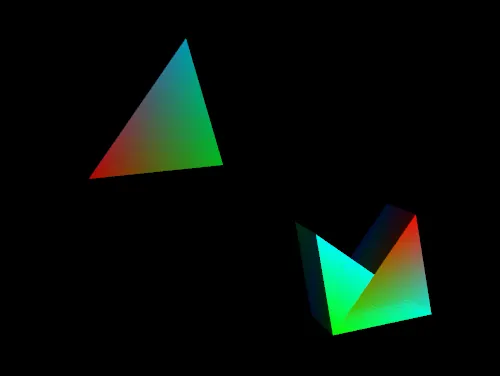
Allowed cells (all VTK cell types)
1D
- Line
- PolyLine
2D
- Triangle
- Quadrilateral
- Polygon
- TriangleStrip
- Pixel (rare but allowed)
3D
- Tetrahedron
- Hexahedron
- Voxel
- Wedge (Prism)
- Pyramid
- Polyhedron
Higher-order (quadratic / curved)
- Quadratic Line
- Quadratic Triangle
- Quadratic Quad
- Quadratic Tetra
- Quadratic Hexahedron
- Bezier and Lagrange variants (if enabled)
Notes
- Mixed cell types allowed in one mesh
- Explicit connectivity
- Maximum flexibility, maximum cost
Structured vs. Unstructured Grids
This is one of the most important and practical decision points in VTK. If you remember only one thing, remember this:
Structured grids buy you speed and simplicity; unstructured grids buy you geometric freedom.
The “best” grid is almost always the simplest structure that can still represent your data faithfully. More flexibility comes with real costs, in memory, performance, and complexity.
As a rule of thumb:
- Do choose structured grids when indexing is predictable and the domain is reasonably regular.
- Don’t choose unstructured grids just because they sound more powerful. They are powerful, but you pay for that power.
High-level comparison:
| Structured Grids | Unstructured Grids | |
|---|---|---|
| Topology | Regular, fixed (i-j-k indexing) | Irregular, explicitly defined |
| Examples | vtkImageData, vtkRectilinearGrid, vtkStructuredGrid | vtkUnstructuredGrid |
| Advantages | Memory-efficient, fast traversal, simpler algorithms | Handles complex shapes and arbitrary topology |
| Disadvantages | Limited geometric flexibility | Higher memory use, slower traversal, more complex logic |
Structured grids come in multiple flavors, and you should prefer the most constrained one that still works.
Choose vtkRectilinearGrid if:
- Grid lines are axis-aligned
- Spacing varies, but geometry remains straight
- Performance and memory efficiency matter
- Data comes from regular sampling
Choose vtkStructuredGrid if:
- The grid must follow curved or warped geometry
- Boundary layers or deformed domains are required
- Topology is still logically structured
- You want better performance than an unstructured grid
A useful mental model is that many workflows progressively relax constraints only when necessary:
RectilinearGrid → StructuredGrid → UnstructuredGridEach step increases geometric freedom, but also increases cost.
If you can describe point locations using only
X[i],Y[j], andZ[k], usevtkRectilinearGrid; otherwise, usevtkStructuredGrid.
Multiblock Dataset
Once your datasets get big, or naturally split into parts, you’ll want a container that preserves that structure. vtkMultiBlockDataSet lets you keep data organized the way you think about it: domains, components, LOD levels, timesteps, regions, etc. This matters because organization isn’t just neatness, it affects pipeline clarity, debugging, and how easily you can process or render subsets.
Do use multiblock when your data is naturally “many datasets,” especially for multi-domain simulations or grouped assets. Don’t flatten everything into one giant unstructured grid unless you truly need to, keeping blocks separate can make processing and rendering more manageable.
- A collection of multiple datasets, organized hierarchically.
- Handles complex, hierarchical data structures effectively.
- Multi-domain simulations (each domain as a separate dataset), multi-resolution data (datasets at different detail levels).
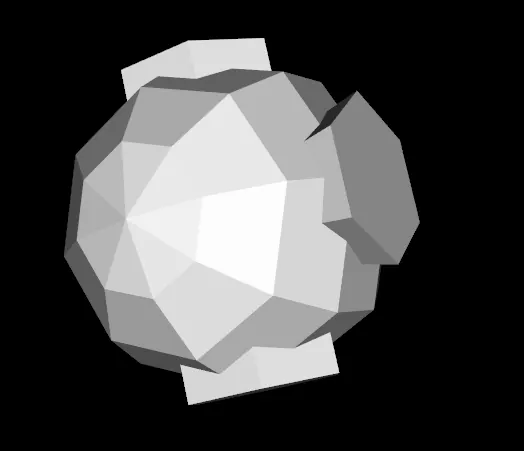
A vtkMultiBlockDataSet organizes datasets (or blocks) hierarchically. Each block can be a vtkDataSet subclass or another composite dataset, allowing versatile dataset organization. For instance, a vtkMultiBlockDataSet might contain blocks like vtkPolyData, vtkStructuredGrid, and even another vtkMultiBlockDataSet. This structure is invaluable in large-scale simulations where data is segmented into blocks representing different simulation areas or system components, enabling VTK to manage complex, multi-part datasets coherently.
Choosing the Right Data Structure
This is where everything clicks: your data structure choice is not “just a container decision.” It’s a commitment that affects performance, tooling, and what operations feel natural. If you match the structure to the data’s true nature, VTK feels effortless. If you mismatch it, you’ll constantly translate, patch, and second-guess.
Do choose the least complex option that preserves meaning (geometry + topology + resolution). Don’t optimize prematurely by picking a complicated type “for future-proofing.” Future-proofing usually means choosing something accurate and convertible, not something maximal.
- Consider the geometry, topology, and resolution of your data
- The choice of data structure affects memory usage, processing time, and ease of use
- Some data structures can be converted to others, but not always without loss of information
| VTK Data Object | Purpose and Use Cases | Complexity | Flexibility | Efficiency |
|---|---|---|---|---|
| PolyData | Ideal for representing 3D surfaces and complex shapes like sculptures or terrain models. | Moderate: Comprised of polygons and polylines, allowing for manipulation and detailing. | High: Excellent for complex, arbitrary shapes including intricate surface details. | High: Efficiently stores data specific to the shape, omitting unnecessary information. |
| Structured Grids | Suitable for 3D grid-based data like volumetric images or regular spatial data. | Low: Simple, regular structure with implicit connectivity, making it straightforward to handle. | Low: Confined to regular grid shapes, limiting its application to uniformly structured data. | High for regular data: Efficiently handles uniformly spaced data but less suitable for irregular datasets. |
| Unstructured Grids | Used for complex, irregular shapes like biological structures or geological formations. | High: Requires detailed definition of point connectivity, accommodating intricate geometries. | High: Extremely versatile, capable of representing any shape, be it regular or irregular. | Low to Moderate: Efficiency varies with the shape's complexity; generally less efficient than structured grids. |
| Structured Points (ImageData) | Perfect for regularly spaced data such as medical imaging (CT, MRI scans) or 3D textures. | Low: Simple and regular, with implicit connectivity for easy navigation. | Low: Restricted to regular grid shapes, ideal for uniformly spaced data. | Very High: Optimal for regular data thanks to implicit connectivity and uniform structure. |
| Rectilinear Grids | Appropriate for data with variable resolution, like atmospheric or oceanic datasets. | Moderate: Allows variable spacing while maintaining a regular grid structure. | Moderate: More adaptable than regular grids but less so than unstructured grids. | High: More efficient than unstructured grids for data that aligns with its variable but regular structure. |
Practical dataset selection and attribute associations
The most important design choice is often the dataset type. It determines how connectivity is stored, which filters can run, and how much memory the same geometry requires.
| Input | Recommended VTK dataset | Reason |
|---|---|---|
| Uniform voxels or pixels | vtkImageData |
Coordinates derive from extent, origin, and spacing |
| Nonuniform, axis-aligned samples | vtkRectilinearGrid |
Store one coordinate vector per axis |
| Curved but logically indexed grid | vtkStructuredGrid |
Explicit coordinates with structured topology |
| Surfaces made of points, lines, triangles or polygons | vtkPolyData |
Efficient surface-oriented representation |
| Arbitrary or mixed volumetric cells | vtkUnstructuredGrid |
Explicit, general connectivity |
| Multiple related datasets | vtkMultiBlockDataSet |
Group independently typed blocks |
Point data versus cell data
A point-data array has one tuple for every point; a cell-data array has one tuple for every cell. An image with dimensions 4 × 3 × 2 has 24 points but only 6 hexahedral cells. This is a frequent source of missing colors and filter errors.
~~~python import vtk
image = vtk.vtkImageData() image.SetDimensions(4, 3, 2) image.SetOrigin(0, 0, 0) image.SetSpacing(1, 1, 1) assert image.GetNumberOfPoints() == 24 assert image.GetNumberOfCells() == 6
temperature = vtk.vtkDoubleArray() temperature.SetName("temperature") temperature.SetNumberOfTuples(image.GetNumberOfPoints()) for i in range(image.GetNumberOfPoints()): temperature.SetValue(i, float(i)) image.GetPointData().SetScalars(temperature)
material = vtk.vtkIntArray() material.SetName("material_id") material.SetNumberOfTuples(image.GetNumberOfCells()) for i in range(image.GetNumberOfCells()): material.SetValue(i, 1) image.GetCellData().AddArray(material) ~~~
What to verify: query GetClassName(), GetNumberOfPoints(), GetNumberOfCells() and GetBounds() before processing. Check each array's tuple count against its association. Converting cell data to point data usually involves averaging/interpolation and changes the interpretation of the measurements. Units, physical coordinates, and point IDs should never be silently inferred from array shape.